
Speaker A · English
Let's start with the launch plan for the new app.
Hãy bắt đầu với kế hoạch ra mắt ứng dụng mới.
Native macOS translator · Apple Silicon
Break language barriers as the conversation unfolds. LiveMeet translates what's said, helps you follow every discussion, and turns meetings into something you can actually use.
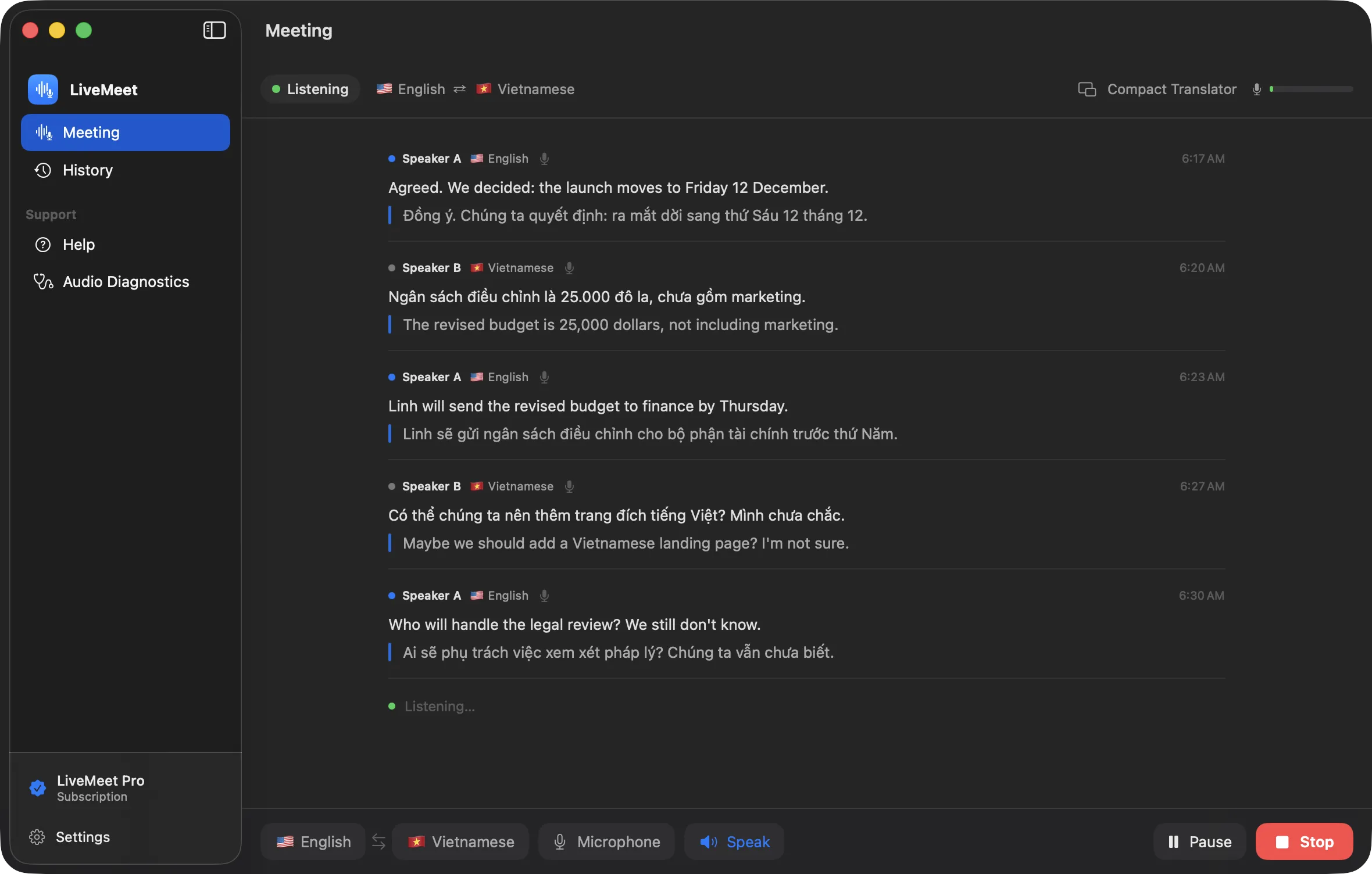
Real LiveMeet window · sample meeting content
A real Mac app, built for macOS, not a web page in a window.
Recognition, translation and speech run on your Mac.
Made for conversations where people speak different languages.
Translate with your microphone, keep transcripts and get summaries at no cost.
The problem
A name, a number, a date. One missed sentence can change what a meeting means.
The call in one app, a translator in another, notes somewhere else. Your attention ends up in all three.
When the call ends, what was decided and who owns it is hard to put back together.
01 Live translation
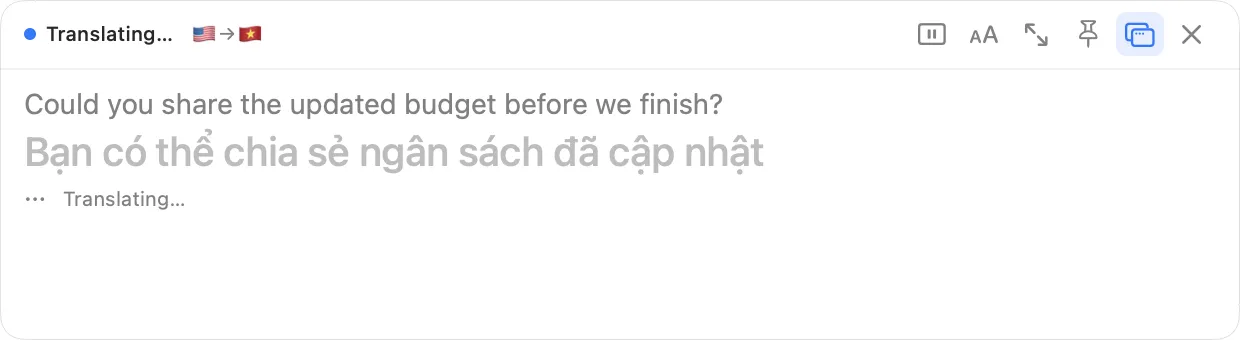
When someone finishes a thought, LiveMeet shows what was said and its translation together, original first, translation right underneath. Choose any two of the four supported languages. Whoever speaks sets the direction, so a two-way conversation just works.
Translation arrives a few seconds after each pause. It is turn-based, not simultaneous interpretation.
Speaker A · English
Let's start with the launch plan for the new app.
Hãy bắt đầu với kế hoạch ra mắt ứng dụng mới.
Speaker B · Vietnamese
Bên kỹ thuật cần thêm hai tuần, nên mình đề xuất dời sang thứ Sáu 12 tháng 12.
Engineering needs two more weeks, so I propose moving it to Friday 12 December.
Speaker A · English
Agreed. We decided: the launch moves to Friday 12 December.
Đồng ý. Chúng ta quyết định: ra mắt dời sang thứ Sáu 12 tháng 12.
Illustration of the live transcript with a sample conversation. Not a screenshot.
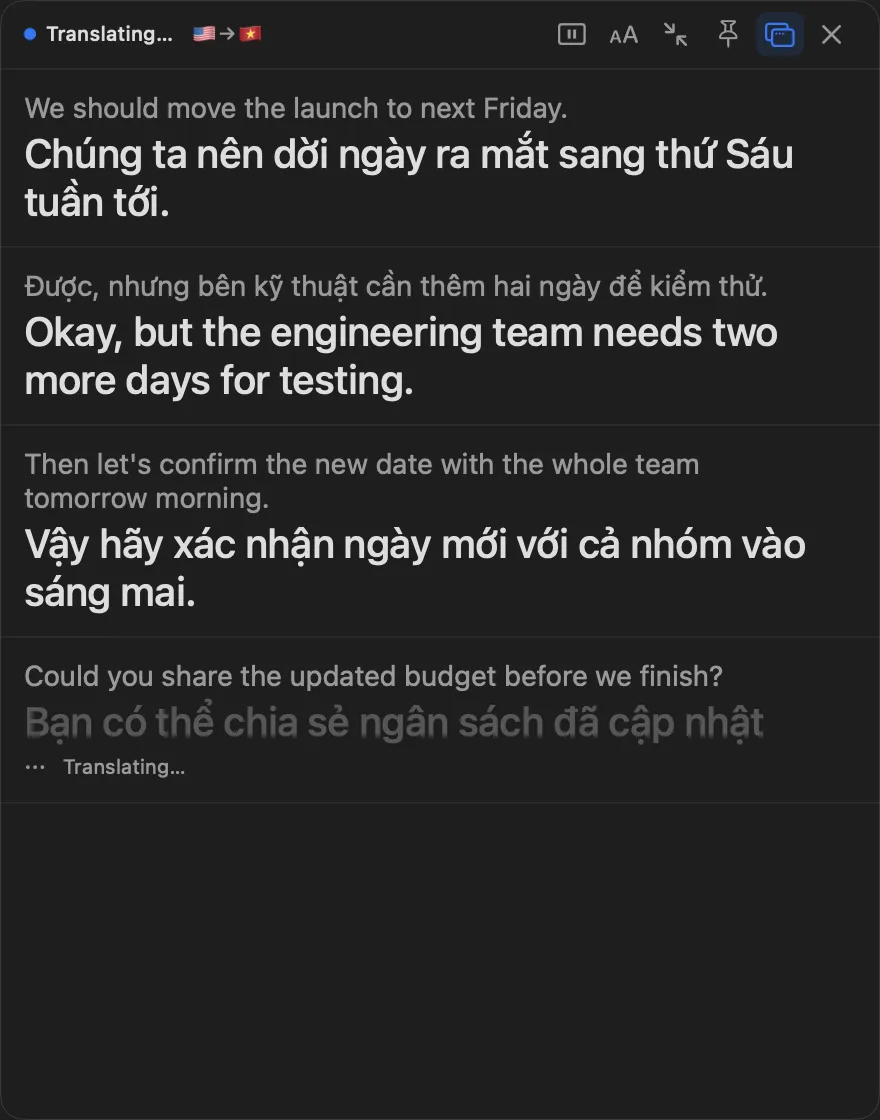
SpeakOn
Reading the translation aloud
Left: the real Compact Translator. Right: illustration of the Speak control.
02 Speak and listen
Turn on Speak and LiveMeet reads each translation aloud, so you can keep your eyes on the screen being shared instead of on subtitles. It uses the voices built into macOS. Install an Enhanced voice in System Settings and speech gets clearer.
Voice quality depends on the macOS voice you have installed. LiveMeet doesn't download voices.
03 Meeting review
When a meeting is over, LiveMeet turns the transcript into something you can review: a summary, the decisions that were made, who owes what, and a mind map of the discussion. It is generated on your Mac, and every item links back to the moment it came from.
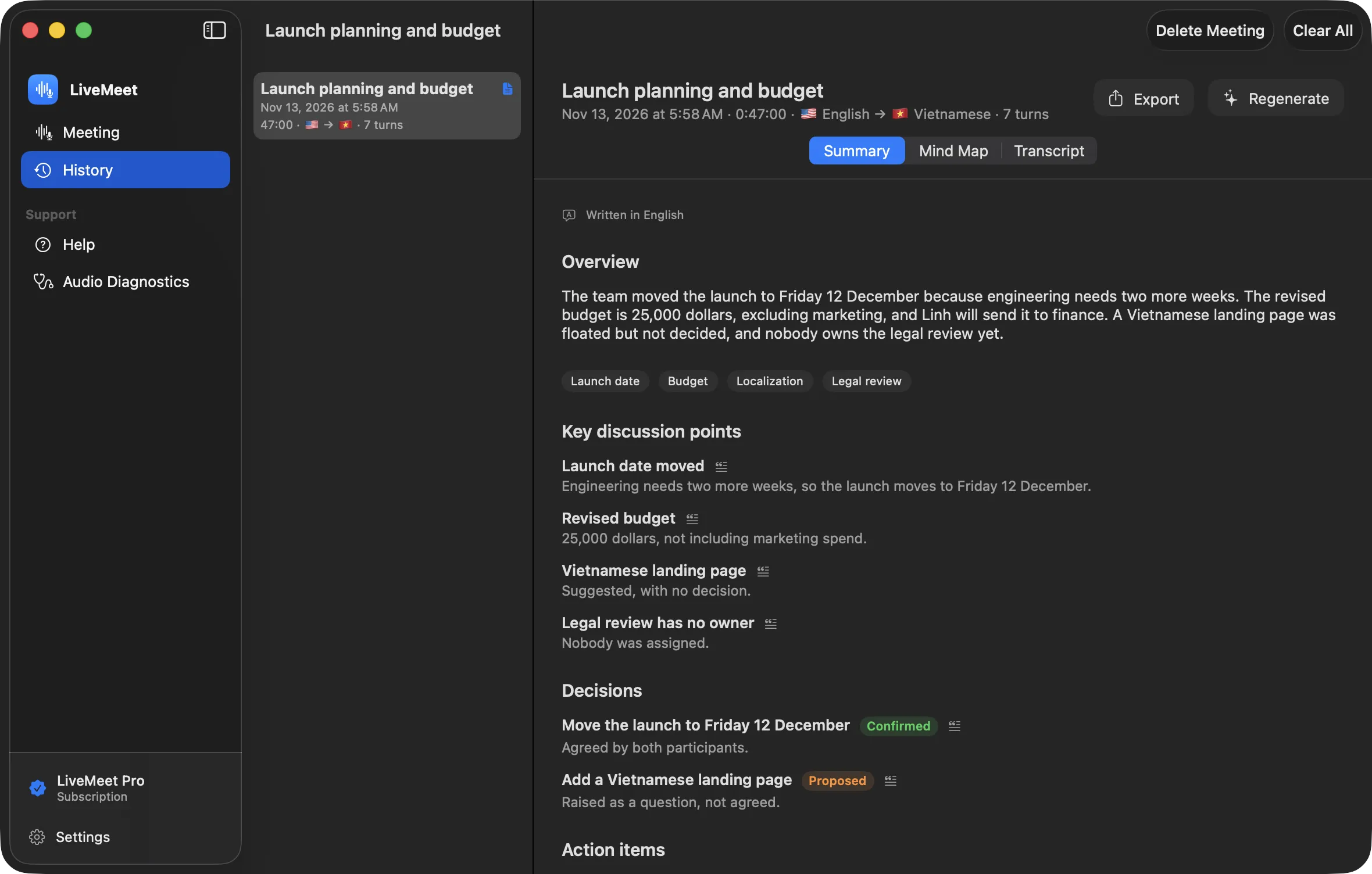
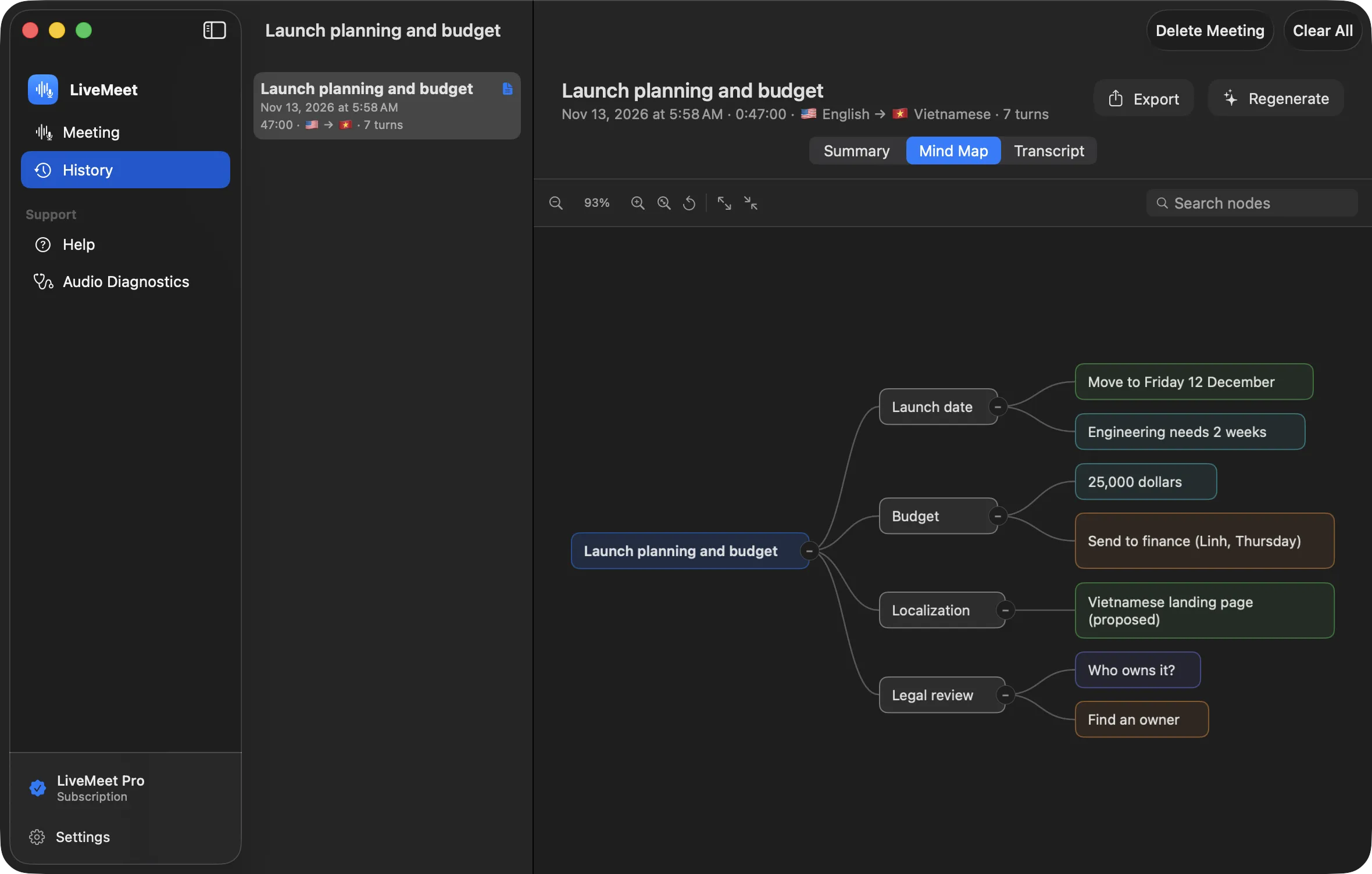
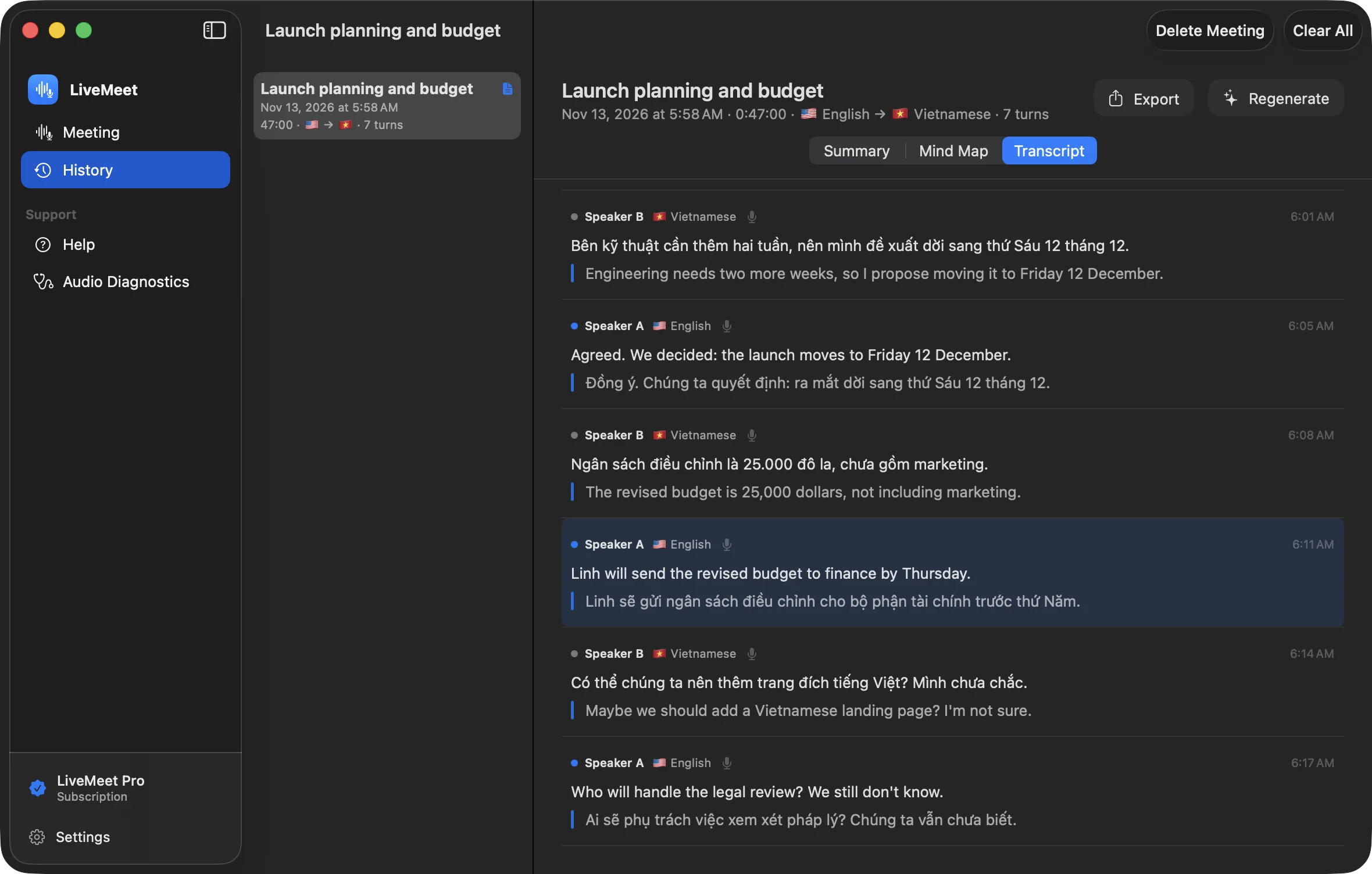
Real LiveMeet screens · sample meeting content
An overview of what was discussed, with the main points in order.
Each decision says whether it was agreed or only raised.
Tasks with an owner and a due date when they were mentioned, and "Not specified" when they weren't.
The details that are easiest to lose, collected in one place.
Pan, zoom, search and fold branches to see how the discussion fits together.
Jump from any point back to the exact sentence in the transcript to check it.
Summaries and mind maps are written by an AI model and can contain mistakes. That is why every item links back to the transcript. They are written in the language of your interface (English or Vietnamese) and are included in the free plan.
04 Privacy
LiveMeet listens, recognizes, translates and speaks on your Mac. There is no account to create and no LiveMeet server to send anything to.
Your Mac
App Store only for buying and restoring Pro. No meeting content is involved.
We say "on your Mac" rather than "offline" on purpose: we haven't finished testing complete operation with the network disconnected, and we only claim what we have verified.
05 Designed for macOS
LiveMeet is a native app with a sidebar, light and dark appearance, and a window that adapts as you resize it. It sits alongside your other apps like it belongs there.
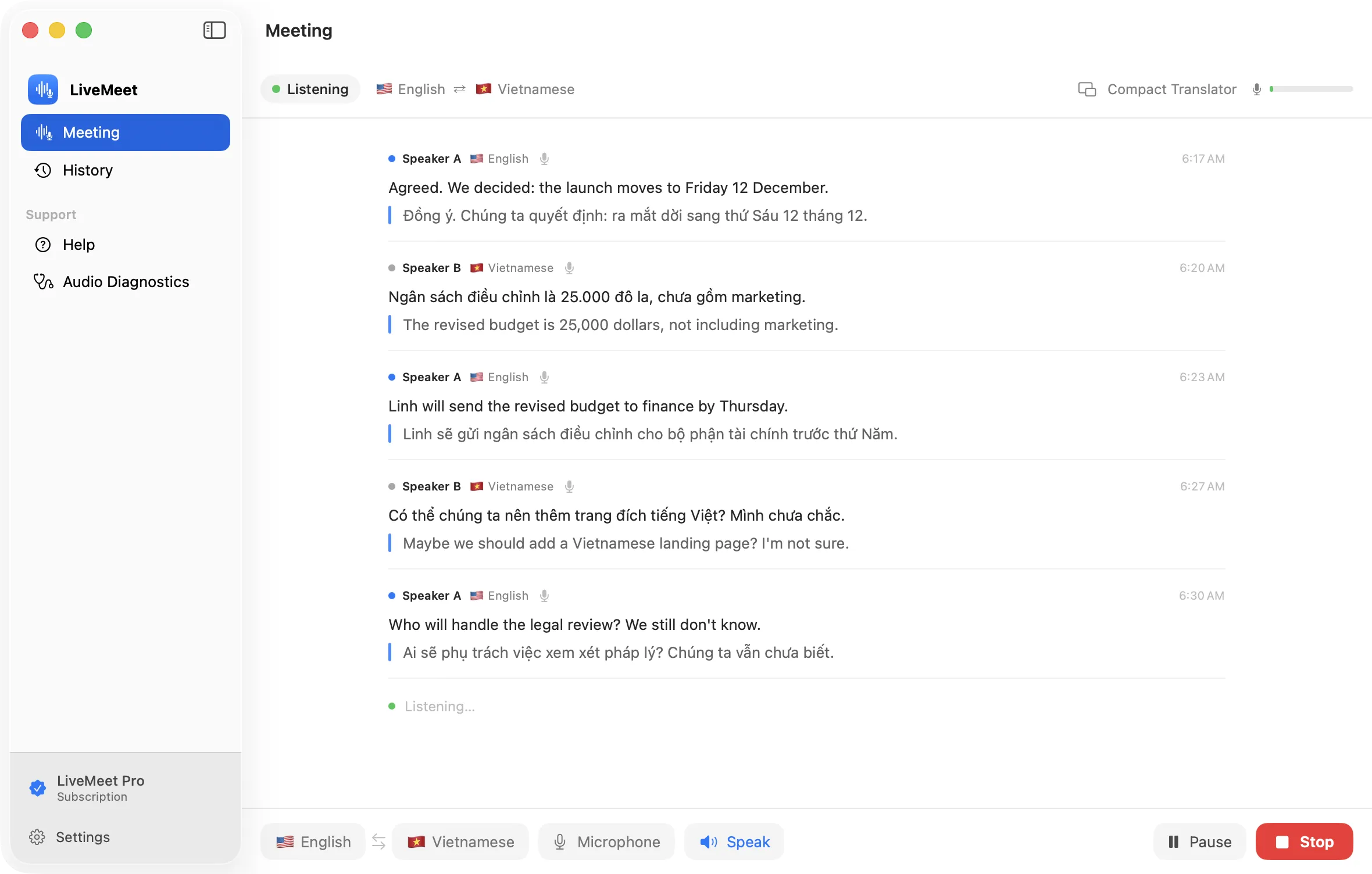
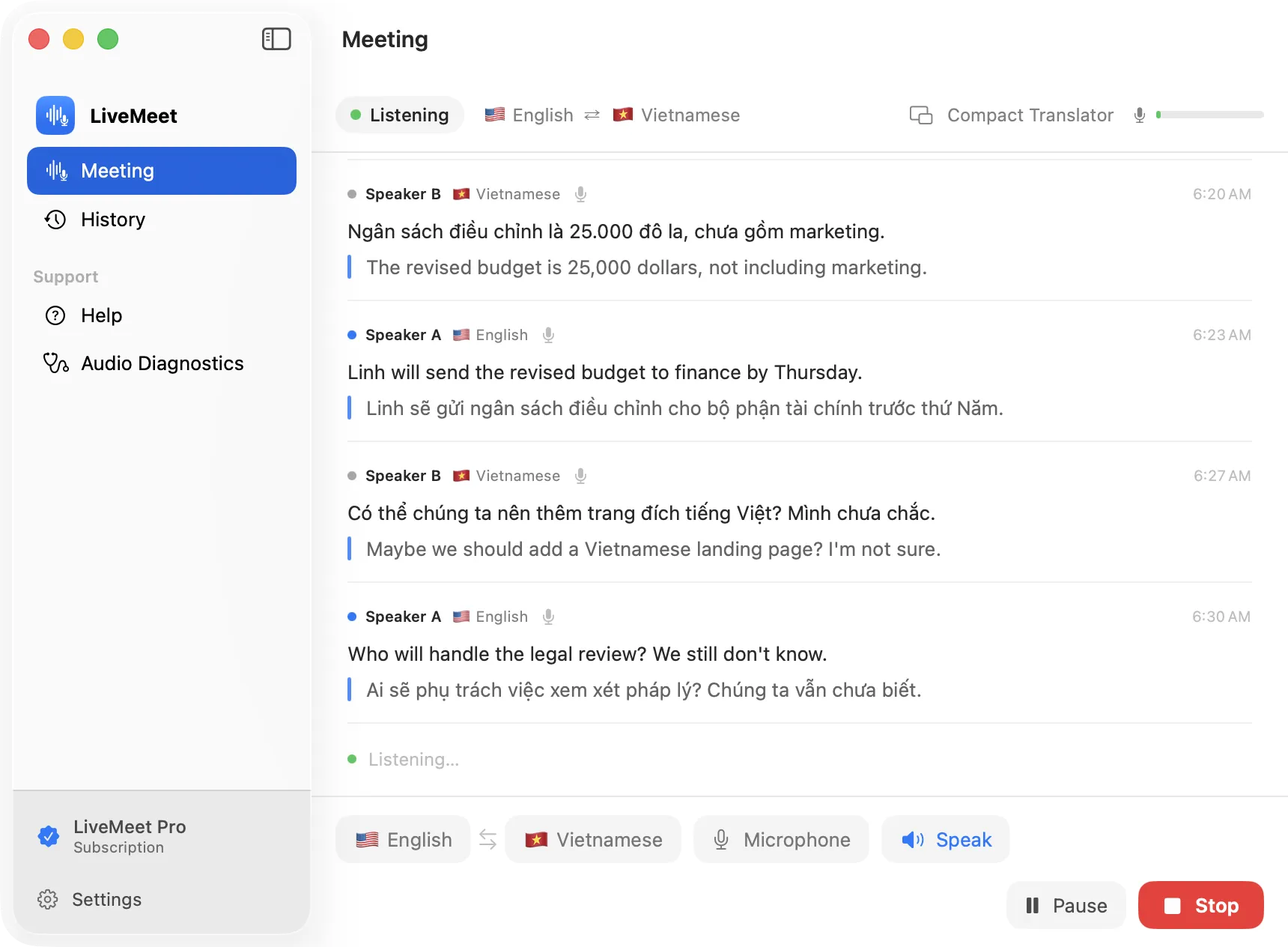
Follows your Mac's appearance.
From a full window down to a compact one, controls stay in reach.
Start ⌘↩ · Stop ⌘. · Compact Translator ⇧⌘T
The app itself speaks both.
Real LiveMeet windows · sample meeting content
06 Pricing
Everything you need to translate your own conversations is free. Pro adds the ability to translate other participants and to hear translations spoken.
$9.99/ month
Flexible access. Renews monthly until you cancel.
Best value
$79.99/ year
About $6.66 a month, 33% less than paying monthly. Renews yearly until you cancel.
$199one time
Pay once, own Pro. Doesn't renew.
| What you get | Free | Pro |
|---|---|---|
| Translate with your microphone, four languages | ||
| Live transcript with original and translation | ||
| Meeting history on your Mac | ||
| Summaries, decisions, action items and mind maps | ||
| Floating Compact Translator | ||
| Translate other participants (system audio) | ||
| Speak translations aloud |
Prices in USD; the App Store shows the price for your region when you buy. Subscriptions renew automatically until cancelled in your App Store account settings. See the Terms of Use and Privacy pages.
07 Questions
What LiveMeet does today, including what it doesn't do yet.
LiveMeet is a native Mac app that helps you follow meetings held in a language you don't fully speak. It listens, shows what was said with its translation, can read the translation aloud, and afterwards turns the meeting into a summary and mind map you can review.
LiveMeet runs on Apple Silicon Macs with macOS 14 or later. Intel Macs aren't supported. It has been tested on a 16 GB MacBook Pro; Macs with less memory haven't been verified yet.
Almost. LiveMeet is turn-based: when a speaker pauses, it recognizes and translates what they said, and the translation appears a few seconds later. It isn't simultaneous interpretation, but it keeps you in the conversation.
Yes. With Speak turned on (part of Pro), LiveMeet reads each translation aloud using the voices built into macOS. Installing an Enhanced voice in System Settings gives clearer speech.
Listening, recognition, translation and speech all run on your Mac rather than on a server. We deliberately don't claim "fully offline" yet, because we haven't finished verifying complete operation with the network disconnected. Buying or restoring Pro uses the App Store.
No. The app sends no audio or text anywhere: it contains no networking code and has no network entitlement. Audio isn't stored, and finished meetings are saved on your Mac as text only. You can turn saving off in Settings.
Vietnamese, English, Chinese (Simplified) and Japanese, in any pair. Translation is strongest between Vietnamese and English. Pairs that involve Chinese or Japanese are currently less accurate. AI translation can make mistakes, especially with names, technical terms and numbers, so check anything important.
LiveMeet doesn't plug into specific meeting apps. With the microphone it hears you and the room. With system audio (Pro) it listens to the sound your Mac plays, so remote participants can be translated too. That captures the whole system sound, not a single app, and we haven't yet verified it with particular meeting apps.
Pro is available as a monthly or yearly subscription, or as a one-time Lifetime purchase. The free plan stays useful on its own: microphone translation, transcripts, history, summaries and mind maps.
Yes. Pro Lifetime is a single purchase that doesn't renew and keeps Pro unlocked. Prices are listed above.
LiveMeet isn't on the Mac App Store yet. This page will link to it as soon as it is.
Not yet available to download
macOS 14 or later · Apple Silicon · Vietnamese, English, Chinese, Japanese